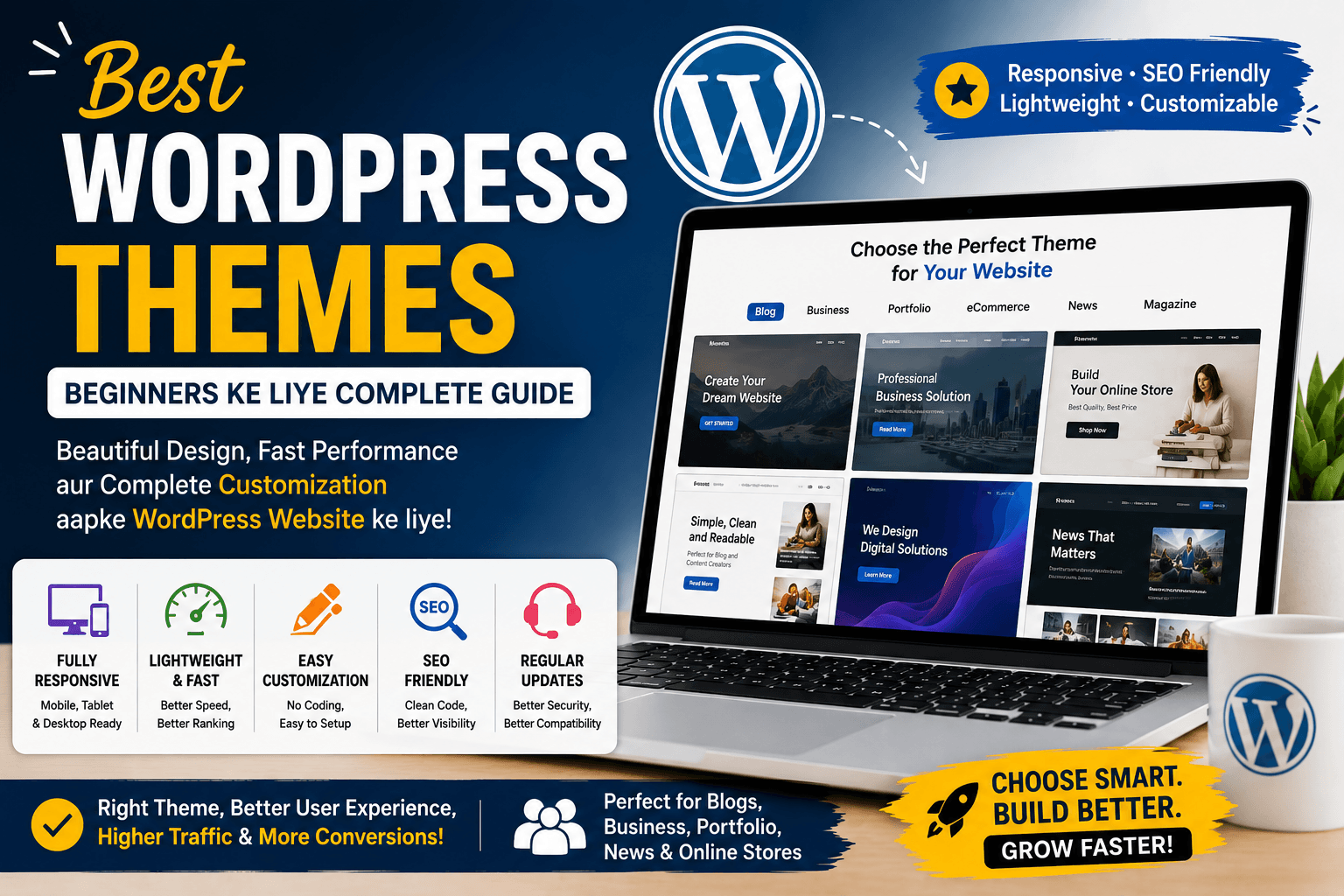
Best WordPress Themes: Beginners Ke Liye Complete Guide
WordPress install karne ke baad ek beginner ke mind mein usually do important questions aate hain — website par kaunse plugins install karein aur kaunsa WordPress theme choose karein?
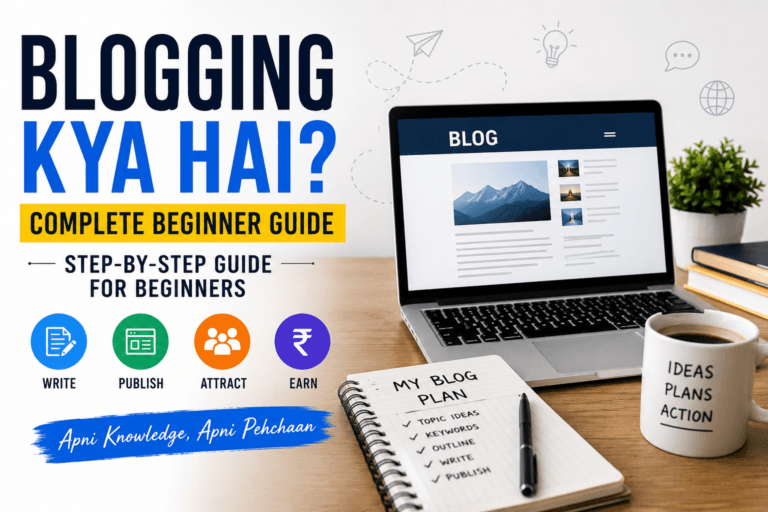
Waise WordPress theme choose karne se pehle blogging ka basic concept samajhna bhi useful hai, especially agar aap online publishing mein bilkul naye hain. Blogging ke fundamentals ko simple language mein samajhne ke liye ye beginner guide padh sakte hain.
Plugins website mein additional functionality add karte hain, jabki theme website ke overall design, layout, typography, colours aur presentation ko control karti hai.
Lekin jab aap WordPress theme directory ya theme marketplaces explore karte hain, toh options dekhkar confusion hona natural hai.
Kisi theme mein hundreds of customization options hote hain, koi lightweight hone ka claim karta hai, koi blogging ke liye designed hota hai aur koi e-commerce websites ke liye.
Toh beginner ke liye Best WordPress Themes kaunse hain?
Iska simple answer hai — koi ek theme har website ke liye best nahi hoti.
Ek Hindi/Hinglish informational blog ki requirements ek Indian online store se different hongi. Ek photography website ko jo design chahiye, wahi design ek finance blog ke liye suitable nahi ho sakta.
Is detailed guide mein hum WordPress themes kya hoti hain, theme aur plugin mein difference kya hai, beginner ke liye theme kaise choose karein, free vs premium themes kya hoti hain, lightweight theme kyun important hai aur theme select karte waqt kaunse factors check karne chahiye — ye sab simple Hinglish mein samjhenge.
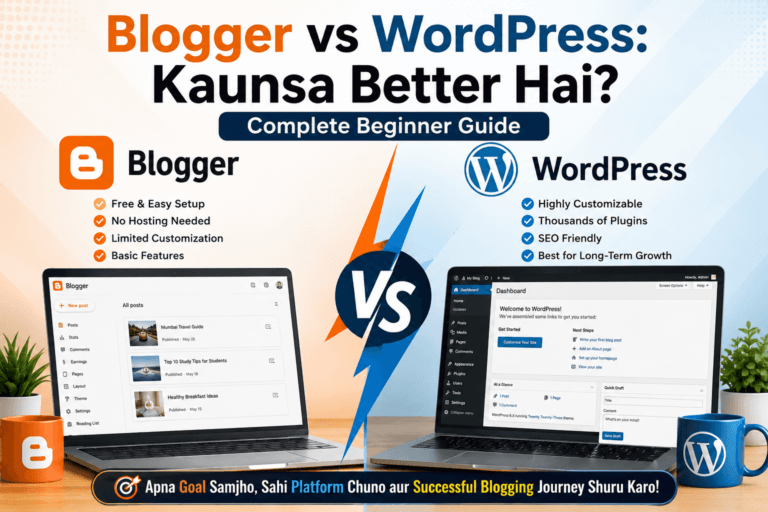
Agar aap abhi blogging ke liye platform select kar rahe hain aur WordPress ko lekar sure nahi hain, toh pehle dono popular blogging platforms ke differences ko samajh lena better rahega.
WordPress Theme Kya Hoti Hai?
Simple language mein:
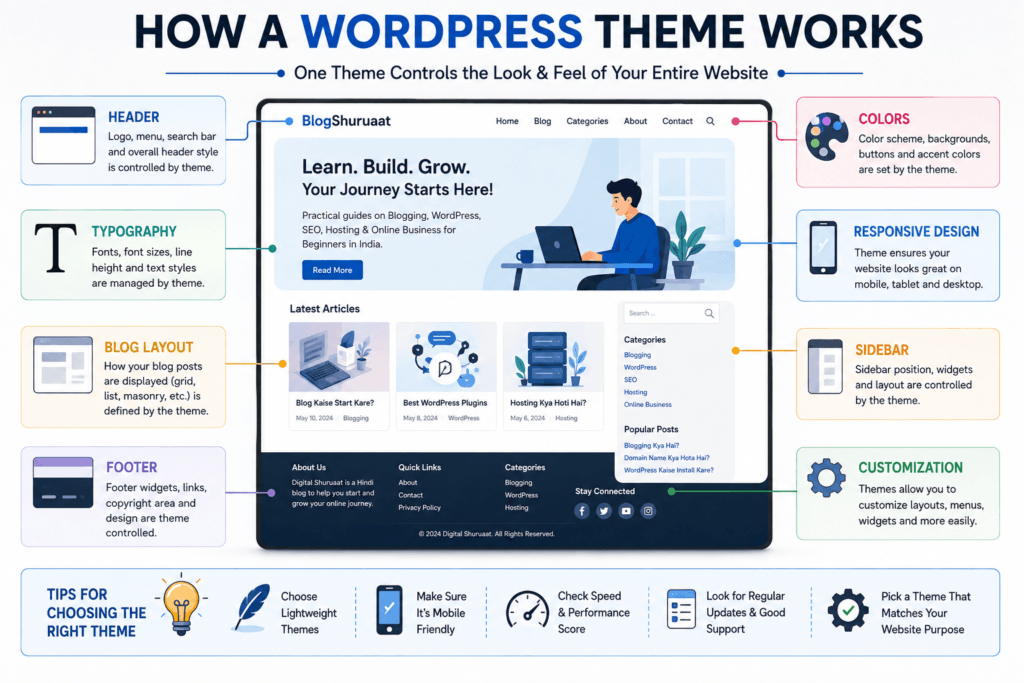
WordPress theme website ke design aur visual appearance ko control karne wali files ka collection hoti hai.
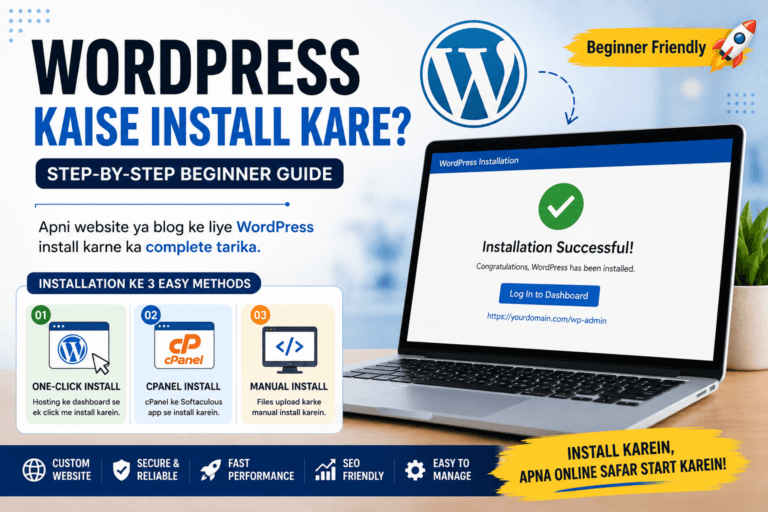
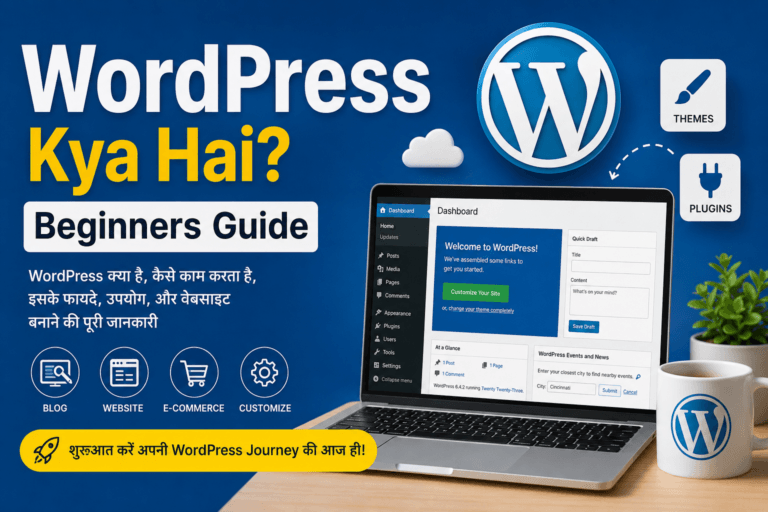
Agar aap WordPress ko bilkul beginning se samajhna chahte hain, toh pehle WordPress platform ke basic concepts ko samajhna useful rahega.
Theme decide karne mein help karti hai ki website:
- Kaisi dikhegi
- Menu kahan hoga
- Blog posts ka layout kya hoga
- Fonts kaise appear honge
- Colours kaise use honge
- Sidebar hoga ya nahi
- Header aur footer ka design kya hoga
- Homepage ka structure kaisa hoga
For example, maan lijiye aap ek India-focused technology blog bana rahe hain.
Aap chahenge ki website:
- Mobile par properly display ho
- Articles easily readable hon
- Navigation simple ho
- Categories clearly visible hon
- Images properly display hon
- Website unnecessarily heavy na ho
In cheezon mein theme ka important role hota hai.
WordPress Theme Aur Plugin Mein Kya Difference Hai?
Beginners ke liye ye difference samajhna bahut important hai.
Theme = Design + Layout
Theme primarily website ki appearance aur layout ko manage karti hai.
Plugin = Functionality
Plugin website mein additional features add karta hai.
Example:
Aap ek blog theme use kar rahe hain.
Uske baad aap:
- SEO functionality
- Contact form
- Backup
- Security
- Caching
ke liye plugins install kar sakte hain.
Simple formula:
Theme website ko look deti hai.
Plugin website ko additional functionality deta hai.
Isi reason ki wajah se theme choose karte waqt sirf beautiful design dekhna enough nahi hai.
Best WordPress Themes Choose Karna Kyun Important Hai?
Theme website ke first impression ko directly influence karti hai.
Jab koi visitor Google se aapke article par aata hai, toh woh sirf content nahi dekhta.
Woh indirectly notice karta hai:
- Page readable hai ya nahi
- Website mobile-friendly hai ya nahi
- Navigation easy hai ya nahi
- Text properly spaced hai ya nahi
- Website professional lag rahi hai ya nahi
- Pages unnecessarily cluttered toh nahi hain
Suppose aapne ek excellent article likha hai:
“SBI Net Banking Kaise Activate Kare?”
Lekin article tiny fonts, poor spacing aur confusing navigation ke saath present ho raha hai.
Reader ko information useful hone ke baad bhi website uncomfortable lag sakti hai.
Isliye theme ka purpose sirf website ko attractive banana nahi hai.
Good theme ka main objective usability bhi hona chahiye.
Best WordPress Themes Mein Kaunse Features Hone Chahiye?
Theme select karte waqt beginners ko following features check karne chahiye.
1. Lightweight Design
Theme unnecessary features aur code se overloaded nahi honi chahiye.
Lightweight theme generally better performance maintain karne mein help kar sakti hai.
2. Mobile Responsive
India mein bahut saare users smartphones se websites access karte hain.
Isliye theme mobile, tablet aur desktop par properly display honi chahiye.
3. Customization Options
Theme mein basic elements customize karne ki flexibility honi useful hai.
For example:
- Logo
- Colours
- Typography
- Header
- Footer
- Layout
4. Good Typography
Blogging website mein readability extremely important hai.
Font attractive hone se zyada important hai ki text easily readable ho.
5. Clean Layout
Excessive animations, pop-ups aur unnecessary design elements user experience ko negatively affect kar sakte hain.
6. SEO-Friendly Structure
Theme ka HTML structure clean hona aur basic SEO best practices ko support karna useful hai.
Lekin yaad rakhein:
Theme SEO ka complete solution nahi hoti.
Content quality, technical SEO, internal linking aur other SEO factors bhi important hain.
7. Regular Updates
Theme actively maintained honi chahiye.
Long time se update na hui theme compatibility aur security concerns create kar sakti hai.
8. Good Documentation
Beginners ke liye documentation bahut useful hoti hai.
Agar customization ke time problem aaye toh clear documentation troubleshooting mein help karti hai.
Agar aap website mein additional functionality add karna chahte hain, toh essential plugins select karne ki beginner guide bhi dekh sakte hain.
Beginners Ke Liye Popular WordPress Themes
WordPress ecosystem mein multiple popular themes available hain.
Neeche kuch well-known themes ko examples ke roop mein samajhte hain.
Important: Inhe universal ranking ke form mein na dekhein. Best option aapki website ke purpose aur requirements par depend karega.
1. Astra
Astra WordPress ecosystem mein widely used lightweight themes mein se ek hai.
Iska focus customization aur performance par raha hai.
Astra mein beginners ko:
- Multiple layouts
- Header customization
- Footer options
- Typography controls
- Starter designs
jaise features mil sakte hain.
Astra Kis Ke Liye Useful Ho Sakti Hai?
- Blogs
- Business websites
- Portfolio websites
- Service websites
- Small business websites
Agar aap ek Indian informational blog build kar rahe hain, toh lightweight structure aur customization options useful ho sakte hain.
2. GeneratePress
GeneratePress lightweight WordPress themes ke context mein frequently discussed option hai.
Iska approach relatively clean aur performance-focused hai.
Ye un users ke liye useful ho sakta hai jo:
- Fast-loading website
- Clean design
- Flexible layout
- Minimal interface
prefer karte hain.
Blogging Ke Liye GeneratePress
Informational blogs mein readability aur page performance important hoti hai.
Isliye simple design approach blogging websites ke liye practical ho sakti hai.
3. Kadence
Kadence ek flexible WordPress theme option hai jo customization aur modern layouts provide karti hai.
Ismein header aur footer customization ke options ke saath typography aur layout controls bhi mil sakte hain.
Ye suitable ho sakti hai:
- Blogs
- Business websites
- Personal websites
- Online stores
- Content websites
ke liye.
4. Neve
Neve ek lightweight theme option hai jo responsive design aur customization ko target karti hai.
Small business websites aur blogs ke liye ye useful option ho sakti hai.
Agar aapko:
- Simple design
- Mobile-friendly layout
- Customization
- Fast-loading structure
chahiye, toh is type ki theme consider ki ja sakti hai.
5. Blocksy
Blocksy modern WordPress websites ke liye popular theme options mein se ek hai.
Ye WordPress block editor ke saath modern workflows ko support karne ke liye designed hai.
Ismein customization options available hain jo users ko:
- Header
- Footer
- Blog layout
- Typography
- Colours
jaise elements control karne mein help kar sakte hain.
6. OceanWP
OceanWP ek established WordPress theme option hai jo multiple website types ko support karti hai.
Iska use blogs ke alawa business websites aur e-commerce projects mein bhi kiya ja sakta hai.
Beginners ko theme choose karte waqt ye dekhna chahiye ki available features unki actual requirements ke according hain ya nahi.
7. Hello Elementor
Hello Elementor ek relatively minimal theme approach provide karti hai aur Elementor ecosystem ke saath use ki ja sakti hai.
Ye un users ke liye useful ho sakti hai jo Elementor-based website building approach prefer karte hain.
Lekin page builder use karne se website architecture aur performance par additional considerations aa sakte hain.
Isliye beginner ko blindly multiple visual builders install nahi karne chahiye.
8. WordPress Default Themes
WordPress ke saath default themes bhi available hoti hain.
Beginners aksar inhe ignore kar dete hain.
Lekin default themes ka ek major benefit hai — ye WordPress ecosystem ke saath closely integrated hoti hain.
Agar aap blogging aur WordPress ko samajhne ke liye practice website bana rahe hain, toh default theme se bhi shuruaat ki ja sakti hai.
Aapko starting stage mein expensive theme purchase karna compulsory nahi hai.
Free vs Premium WordPress Themes
Theme choose karte waqt beginners ke saamne ek common question hota hai:
Free theme use karein ya premium?
Dono options ke apne advantages hain.
Free WordPress Themes
Free themes beginners ke liye attractive option hoti hain.
Advantages
- Initial cost zero ho sakti hai
- Practice ke liye useful
- Basic blogging ke liye sufficient
- Beginner-friendly
- Easily test ki ja sakti hain
Agar aap abhi WordPress seekh rahe hain, toh free theme se start karna practical decision ho sakta hai.
Premium WordPress Themes
Premium themes paid features aur additional customization provide kar sakti hain.
Possible benefits:
- More customization
- Premium support
- Additional templates
- Advanced design controls
- Additional integrations
Lekin premium ka matlab automatically better nahi hota.
Aapko pehle ye check karna chahiye ki paid features actually aapki website ke liye required hain ya nahi.
Kya Beginners Ko Premium Theme Buy Karni Chahiye?
Not necessarily.
Agar aap ek simple informational blog start kar rahe hain aur free theme aapki requirements fulfill kar rahi hai, toh premium theme ki immediate requirement nahi hai.
Premium theme tab consider kar sakte hain jab:
- Advanced customization chahiye
- Specific design required hai
- Premium support important hai
- Business requirements hain
- Existing theme ki limitations growth ko affect kar rahi hain
Sirf premium hone ki wajah se theme purchase mat karein.
Lightweight WordPress Theme Kya Hoti Hai?
Lightweight theme ka basic idea hai ki theme unnecessary resources se overloaded na ho.
Agar theme:
- Excessive scripts
- Unnecessary animations
- Heavy design components
- Large asset files
load karti hai, toh website performance affect ho sakti hai.
Lightweight theme ka benefit ye hai ki website ke paas performance optimize karne ke liye better starting point ho sakta hai.
Lekin website speed sirf theme par depend nahi karti.
Hosting, images, plugins, caching aur website configuration bhi important factors hain.
Fast WordPress Theme Kaise Choose Karein?
“Fastest WordPress theme” search karna easy hai.
Lekin practical approach ye hai ki theme ko apni actual website ke context mein test karein.
Check karein:
- Mobile performance
- Desktop performance
- Homepage loading
- Blog post loading
- Number of external resources
- Theme customization ke baad performance
Ek theme demo par fast ho sakti hai, lekin aapke actual website setup par result different ho sakta hai.
Blogging Ke Liye Best WordPress Theme Kaisi Honii Chahiye?
Agar aapka main purpose blogging hai, toh theme select karte waqt design se pehle readability ko priority dein.
Blogging theme mein ideally:
- Clean typography
- Comfortable line spacing
- Simple navigation
- Fast loading
- Mobile responsiveness
- Search functionality
- Category navigation
- Readable article layout
- Related content placement
hona useful hai.
For example, agar aap Hindi ya Hinglish content publish kar rahe hain, toh font readability aur spacing ko specially test karein.
Indian Bloggers Ke Liye Theme Choose Karne Ka Practical Example
Suppose aap ek India-focused informational blog chala rahe hain.
Aapke articles topics ho sakte hain:
- Blogging
- WordPress
- SEO
- Domain
- Hosting
- Online business
- Digital tools
Aapko flashy theme ki zarurat nahi hai.
Aapke liye ek clean layout better ho sakta hai jahan:
Logo → Menu → Main Article → Related Articles → Sidebar/Footer
clearly organized ho.
Agar aapke readers mobile phones se website access kar rahe hain, toh mobile readability ko priority dena especially important hai.
WordPress Theme Choose Karne Se Pehle 10 Questions
Theme install karne se pehle khud se ye questions poochhiye:
1. Kya Theme Mobile Friendly Hai?
Mobile preview check karein.
2. Kya Theme Regularly Updated Hai?
Last update aur development activity check karein.
3. Kya Theme Lightweight Hai?
Unnecessary features ka load check karein.
4. Kya Typography Readable Hai?
Especially Hindi/Hinglish content ke liye.
5. Kya Header Customizable Hai?
Logo aur navigation easily manage ho rahe hain ya nahi.
6. Kya Footer Customize Kar Sakte Hain?
Important links ke liye useful hai.
7. Kya Blog Layout Achha Hai?
Post title, featured image, content aur author information clearly visible honi chahiye.
8. Kya Theme Page Builder Ke Bina Kaam Kar Sakti Hai?
Agar possible ho, toh simple setup beginners ke liye easier ho sakta hai.
9. Kya Documentation Available Hai?
Customization ke time useful hogi.
10. Kya Theme Aapki Actual Requirement Solve Karti Hai?
Sabse important question yahi hai.
WordPress Theme Demo Dekhte Waqt Kya Check Karein?
Theme demos generally beautiful hoti hain.
Lekin demo dekhkar immediately theme select mat karein.
Demo mein:
- High-quality images
- Professional photography
- Carefully designed content
- Premium-looking typography
use ki ja sakti hai.
Aapko imagine karna hai:
“Mere actual articles aur images ke saath ye website kaisi dikhegi?”
Ye approach theme selection ko kaafi practical bana sakti hai.
Kya Theme SEO Ko Affect Karti Hai?
Haan, indirectly theme website ke technical structure aur user experience ko influence kar sakti hai.
Lekin theme alone ranking guarantee nahi karti.
SEO ke liye multiple aspects important hain:
- Helpful content
- Search intent
- Keyword research
- Internal linking
- Technical SEO
- Page experience
- Website structure
- Mobile usability
Theme ko SEO ka foundation support karne wala component samajhna better hai.
Kya WordPress Theme Website Speed Ko Affect Karti Hai?
Haan.
Theme ke code, scripts, stylesheets aur design components website performance ko influence kar sakte hain.
Agar theme unnecessarily heavy hai, toh optimization difficult ho sakti hai.
Lekin slow website ka reason sirf theme nahi hota.
Other factors:
- Hosting
- Plugins
- Images
- Videos
- Ads
- Third-party scripts
- Caching
- Database
- Poor configuration
bhi website speed ko affect kar sakte hain.
Website performance ko samajhne ke liye hosting ka role bhi important hai, kyunki server environment website ki overall speed aur stability ko influence kar sakta hai.
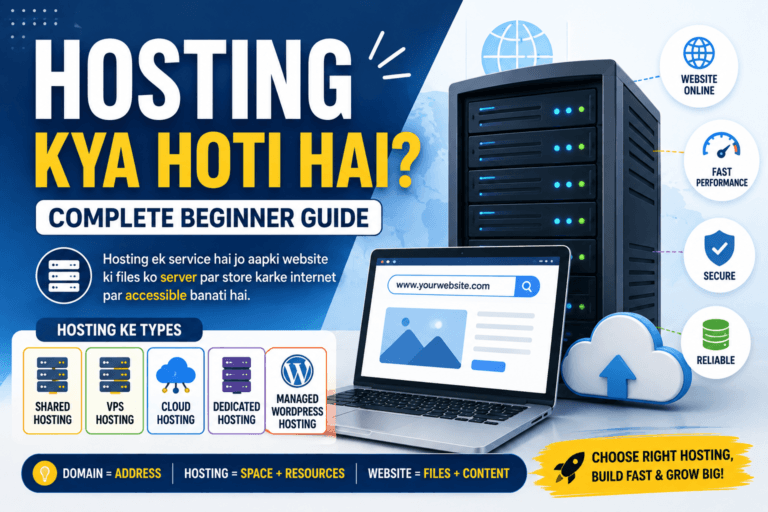
Agar aap hosting ke basic concepts se familiar nahi hain, toh website ke server space ko samajhne wali ye guide helpful rahegi.
Theme Change Karne Se Pehle Kya Karna Chahiye?
Theme change karna simple lag sakta hai, lekin existing website par impact ho sakta hai.
Theme change karne se pehle:
1. Complete Backup Rakhein
Website files aur database ka backup useful hai.
2. Current Theme Settings Note Karein
Custom CSS, widgets aur layout settings check karein.
3. Menus Check Karein
Navigation properly configured hai ya nahi.
4. Widgets Check Karein
Theme change ke baad widget areas different ho sakte hain.
5. Homepage Check Karein
Custom homepage ka layout change ho sakta hai.
6. Important Pages Test Karein
About, Contact, Privacy aur other important pages open karke check karein.
7. Mobile Version Test Karein
Desktop par website normal dikhne ke baad mobile version bhi check karein.
Kya Baar-Baar WordPress Theme Change Karni Chahiye?
Generally nahi.
Beginners kabhi-kabhi theme shopping mein hi bahut time spend kar dete hain.
Aaj ek theme.
Kal doosri theme.
Next week third theme.
Isse website building ka actual work delay hota hai.
Ek suitable theme choose karein, basic branding setup karein aur content creation par focus karein.
Theme ko tab change karein jab genuine reason ho.
WordPress Theme Customization Mein Beginners Ki Mistakes
1. Too Many Colours
Professional website ke liye limited colour palette better ho sakti hai.
2. Too Many Fonts
Ek ya do readable font families sufficient ho sakti hain.
3. Excessive Animations
Animations website ko attractive bana sakti hain, lekin overuse distraction create kar sakta hai.
4. Huge Images
Large images page loading ko affect kar sakti hain.
5. Too Many Widgets
Sidebar ko unnecessary elements se fill karna readability reduce kar sakta hai.
6. Mobile Version Ignore Karna
Desktop design perfect hone ke baad mobile check karna zaroori hai.
7. Theme Ke Har Feature Ko Use Karna
Sirf isliye ki theme mein feature available hai, iska matlab ye nahi ki usse use karna zaroori hai.
Best WordPress Theme Select Karne Ka Simple Formula
Aap is simple framework ko follow kar sakte hain:
Purpose → Design → Speed → Mobile → Customization → Updates → Support
Pehle website ka purpose decide karein.
Phir design check karein.
Uske baad performance aur mobile responsiveness dekhein.
Finally updates, documentation aur support evaluate karein.
Ye approach random “top 10 themes” lists follow karne se zyada useful ho sakti hai.
WordPress Blog Ke Liye Theme Aur Plugins Ka Balance
Theme aur plugins ko ek saath consider karna important hai.
Suppose aapki theme already:
- SEO-related functionality
- Page builder
- Slider
- Social widgets
- Contact form
jaise features provide kar rahi hai.
Aapko har feature ke liye separate plugin install karne ki zarurat nahi ho sakti.
Lekin theme change karne par ye functionality disappear bhi ho sakti hai.
Isliye important functionality ko theme se unnecessarily tightly dependent banana avoid karna useful hai.
Theme Aur Content Ke Beech Balance
Beginners aksar website design par bahut focus karte hain.
Logo perfect.
Colours perfect.
Homepage perfect.
Animations perfect.
Lekin articles publish nahi hote.
Blogging website mein content primary asset hai.
Theme ka job content ko beautifully aur comfortably present karna hai.
Theme ke liye content sacrifice mat karein.
Aapka focus hona chahiye:
Useful content + clean design + good user experience.
Practical Tips For Choosing WordPress Themes
Tip 1: Pehle Free Version Test Karein
Agar premium version available hai, toh pehle free version ke capabilities samajh sakte hain.
Tip 2: Mobile Par Test Karein
Sirf desktop screenshot dekhkar decision na lein.
Tip 3: Real Content Add Karke Dekhein
Demo content ke bajay apne actual text ke saath theme ko test karein.
Tip 4: Page Speed Check Karein
Theme activate karne ke baad performance observe karein.
Tip 5: Unnecessary Features Avoid Karein
Simple website ke liye complex theme ki zarurat nahi hoti.
Tip 6: Updates Check Karein
Theme actively maintained honi chahiye.
Tip 7: Trusted Source Use Karein
Unknown websites se modified themes download karne se bachein.
Tip 8: Nulled Themes Avoid Karein
Free mein premium theme dene wale suspicious sources security risk create kar sakte hain.
Nulled WordPress Themes Kya Hote Hain?
Nulled themes generally premium themes ke unauthorized modified versions hote hain.
Internet par kuch websites premium themes ko “free download” ke naam par offer karti hain.
Beginners ke liye ye tempting ho sakta hai.
Lekin security risk significant ho sakta hai.
Modified theme files mein unwanted code, malware ya other malicious components ho sakte hain.
Isliye legitimate source se theme obtain karna much better approach hai.
Kya Theme Purchase Karna Blogging Start Karne Ke Liye Necessary Hai?
Nahi.
Aap free theme ke saath bhi professional-looking blog create kar sakte hain.
Aapki website ki success ka main factor expensive theme nahi hota.
More important factors hain:
- Content quality
- Reader experience
- Consistency
- SEO
- Website performance
- Trust
- Useful information
Theme in sab ko support karti hai.
WordPress Themes Ke Saath Beginner Ko Kya Priority Deni Chahiye?
Agar aap abhi blogging start kar rahe hain, toh priority kuch is tarah rakh sakte hain:
1. Website properly working
↓
2. Mobile-friendly design
↓
3. Readable content
↓
4. Fast performance
↓
5. Basic branding
↓
6. Advanced customization
Is order se aap unnecessary design work mein time waste karne se bach sakte hain.
Best WordPress Themes Ke Baare Mein Important Reality
Internet par aapko bahut saare articles milenge:
“Top 10 fastest themes”
“Best theme for SEO”
“Best theme for bloggers”
“Best theme for AdSense”
Lekin koi theme universally best nahi hoti.
Aapko apne:
- Website type
- Content format
- Audience
- Budget
- Technical skill
- Performance requirements
ke according decision lena chahiye.
Ek beginner blog ke liye simple theme excellent ho sakti hai, jabki large e-commerce website ke liye same theme sufficient na ho.
Key Takeaways
Best WordPress Themes select karte waqt ye points yaad rakhein:
- Theme website ka design aur layout manage karti hai.
- Plugin aur theme ka purpose different hota hai.
- Har website ke liye ek universal best theme nahi hoti.
- Beginners ko lightweight aur responsive theme prefer karni chahiye.
- Mobile usability ko priority deni chahiye.
- Readability attractive design se zyada important hai.
- Free theme se blogging start karna completely possible hai.
- Premium theme lena compulsory nahi hai.
- Theme ki updates aur maintenance activity check karein.
- Unknown sources se nulled themes download na karein.
- Theme change karne se pehle backup zaroor rakhein.
- Theme website speed ko affect kar sakti hai, lekin speed sirf theme par depend nahi karti.
- Excessive customization website ko unnecessarily complicated bana sakti hai.
- Theme choose karne se pehle apni website ka purpose define karein.
- Content quality ko theme design se zyada priority dein.
Conclusion
Best WordPress Themes choose karna sirf beautiful design select karne ka process nahi hai.
Ek good WordPress theme woh hai jo aapki website ke purpose ko support kare, visitors ko comfortable reading experience de, mobile devices par properly work kare aur website ko unnecessarily heavy na banaye.
Agar aap beginner blogger hain, toh starting mein expensive premium theme lene ki jaldi mat kariye.
Pehle apni requirements samajhiye.
Agar aap ek simple informational blog bana rahe hain, toh lightweight aur clean theme se shuruaat karna sensible approach ho sakti hai.
Astra, GeneratePress, Kadence, Neve, Blocksy, OceanWP aur other established themes ko aap apni requirements ke according evaluate kar sakte hain. WordPress ke default themes bhi practice aur simple blogging projects ke liye useful ho sakti hain.
Sabse important baat ye hai ki theme ko tool samjhein, success ka shortcut nahi.
Ek expensive theme aapke articles ko automatically rank nahi karaegi.
Ek beautiful theme automatically traffic generate nahi karegi.
Aur ek premium theme automatically successful blog nahi banayegi.
Aapki website ki long-term value ultimately useful content, trust, user experience, consistency aur proper website management se build hoti hai.
Isliye theme choose karne mein enough research karein, lekin theme choose karte-karte blogging start karna postpone mat karte rahein.
Ab aage kya kre?
Agar aap apna WordPress blog setup kar rahe hain, toh ab ek simple exercise kariye.
Ek notebook ya document open karein aur apni website ke liye ye 5 requirements likhein:
- Website ka purpose kya hai?
- Audience kaun hai?
- Mobile par website kaisi dikhni chahiye?
- Kaunse features genuinely required hain?
- Free theme sufficient hai ya premium functionality ki zarurat hai?
Uske baad 2–3 suitable themes shortlist karein aur demo ke bajay apne actual content ke saath test karein.
Theme select karne ke baad baar-baar design change karne ke bajay apna focus useful articles publish karne par rakhein.
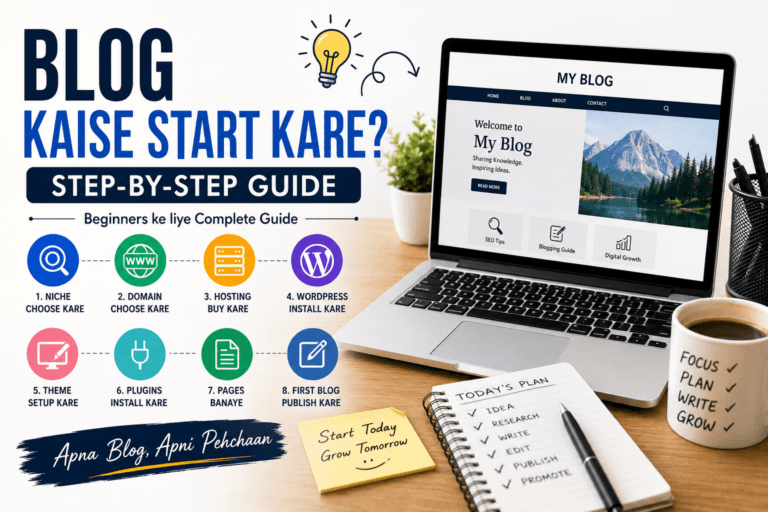
Agar aap blogging journey mein next steps samajhna chahte hain, toh apne website setup ko ek sequence mein complete karein — domain, hosting, WordPress installation, theme selection, essential plugins aur phir consistent content creation.
Perfect theme se zyada important ek useful website hai.
FAQs
1. Best WordPress Themes beginners ke liye kaunse hain?
Beginners Astra, GeneratePress, Kadence, Neve, Blocksy, OceanWP jaise established themes ko evaluate kar sakte hain. Lekin final choice website ke purpose, design requirements, performance aur customization needs par depend karegi.
2. Blogging ke liye kaunsi WordPress theme achhi hoti hai?
Blogging ke liye clean, lightweight, responsive aur readable theme generally useful hoti hai. Theme select karte waqt article layout, typography, mobile experience aur page performance ko priority deni chahiye.
3. Kya free WordPress theme se professional blog bana sakte hain?
Haan. Free WordPress themes ke saath bhi professional-looking blog create kiya ja sakta hai. Professional website ke liye expensive theme hona compulsory nahi hai.
4. Kya premium WordPress theme lena zaroori hai?
Nahi. Premium theme tab useful ho sakti hai jab aapko advanced customization, additional templates, premium support ya specific functionality ki requirement ho.
5. Kya WordPress theme website ki speed affect karti hai?
Haan, theme ke code, scripts aur design components website performance ko affect kar sakte hain. Lekin website speed hosting, plugins, images, caching aur other technical factors par bhi depend karti hai.
6. Kya WordPress theme SEO ke liye important hai?
Theme website ke structure, usability aur performance ko influence kar sakti hai, isliye indirectly SEO ko affect kar sakti hai. Lekin theme alone website ko search results mein rank nahi kara sakti.
7. Kya WordPress theme change karna safe hai?
Theme change kiya ja sakta hai, lekin existing customizations, widgets, menus aur layouts affect ho sakte hain. Isliye theme change karne se pehle complete backup lena aur website ko properly test karna recommended practice hai.
8. Kya ek WordPress website par theme aur plugins dono use hote hain?
Haan. Theme primarily design aur layout manage karti hai, jabki plugins additional functionality provide karte hain. Dono ka role alag hota hai.
9. Kya nulled WordPress themes use karni chahiye?
Nahi. Nulled themes unauthorized modified files ho sakti hain aur security risks create kar sakti hain. Themes ko trusted aur legitimate sources se obtain karna safer approach hai.
10. WordPress theme choose karte waqt sabse important factor kya hai?
Sabse pehle website ka purpose identify karein. Uske baad mobile responsiveness, readability, performance, customization, updates aur support ko evaluate karein. Sirf attractive demo ke basis par theme choose nahi karni chahiye.