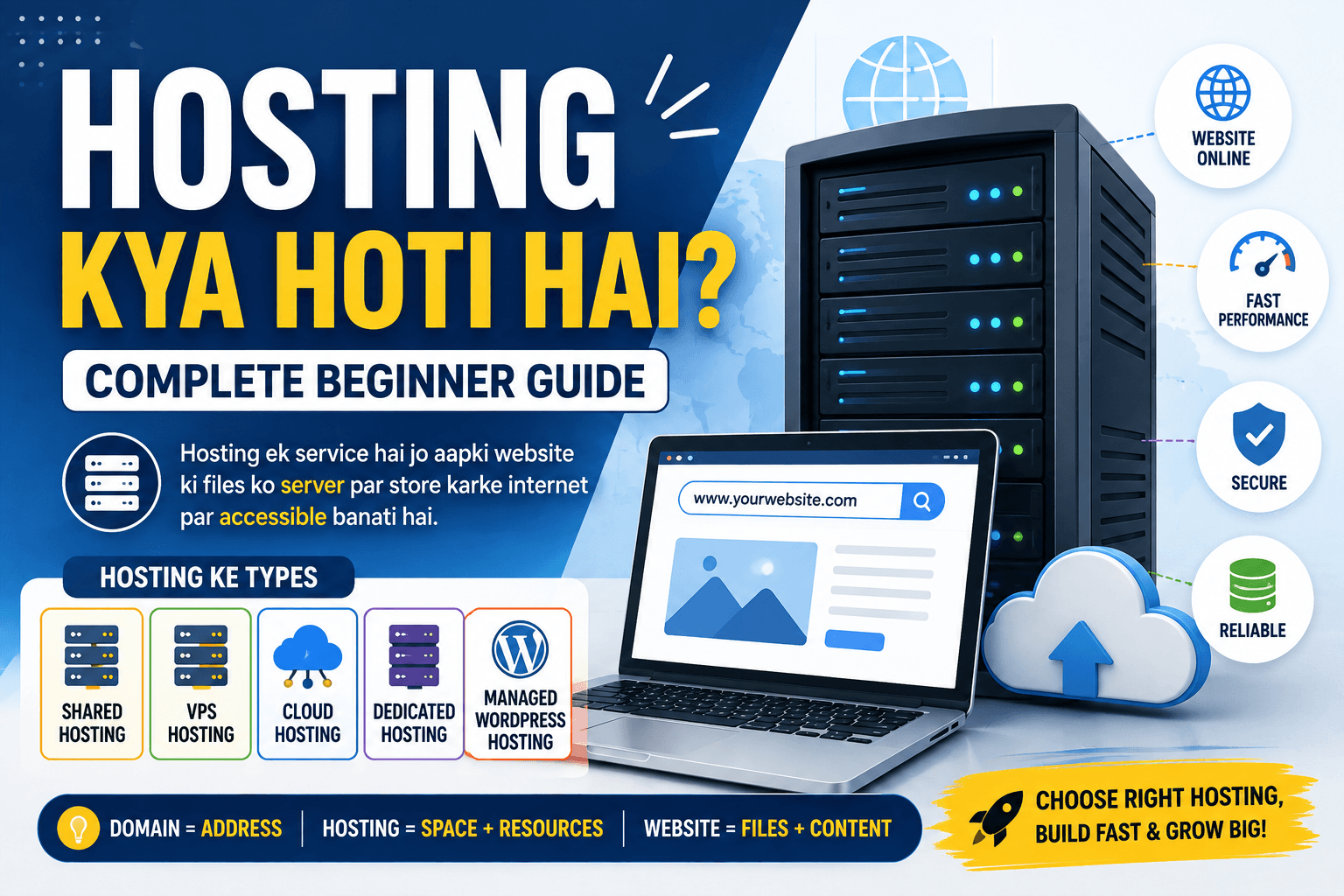
Hosting Kya Hoti Hai? Complete Beginner Guide for Beginners
Agar aap blogging ya apni website start karne ki planning kar rahe hain, toh “Hosting Kya Hoti Hai?” ye question aapke mind mein zaroor aaya hoga.
Domain name ke baare mein samajhne ke baad hosting next important concept hai. Bahut se beginners domain aur hosting ko same cheez samajh lete hain, jabki dono ka kaam completely different hota hai.
Simple example se samajhiye.
Agar domain aapki website ka address hai, toh hosting woh jagah hai jahan aapki website ki files store hoti hain.
Jaise real life mein kisi ghar ka ek address hota hai aur ghar ke andar furniture, documents aur doosra samaan hota hai, waise hi internet par domain users ko website tak pahunchne ka address deta hai aur hosting website ki files ko server par store karne ke liye space provide karti hai.
Lekin hosting sirf storage ka naam nahi hai.
Website ki speed, server resources, uptime, security, backups, scalability aur technical support jaise factors bhi hosting experience ka important part ho sakte hain.
Is detailed guide mein hum beginner level se samjhenge ki hosting kya hoti hai, web hosting kaise kaam karti hai, domain aur hosting mein kya difference hai, hosting ke different types kaunse hain, WordPress hosting kya hoti hai, shared hosting kya hoti hai, hosting choose karte waqt kin factors ko dekhna chahiye aur beginners ko kaunsi common mistakes avoid karni chahiye.
Hosting Kya Hoti Hai?
Simple language mein:
Web hosting ek service hai jo website ki files ko internet-connected servers par store karne aur users ke requests par website ko accessible banane ke liye server resources provide karti hai.
Jab aap website banate hain, toh usmein different files aur data ho sakta hai.
Jaise:
- HTML files
- CSS files
- JavaScript
- Images
- Videos
- Documents
- Database
- WordPress files
- Other website resources
In files ko kisi server environment mein host karna padta hai taaki users internet ke through website access kar saken.
Isi service ko broadly web hosting kaha jata hai.
Ek Simple Real-Life Example
Hosting ko samajhne ka easiest way ek ghar ka example hai.
Maan lijiye aap ek ghar banana chahte hain.
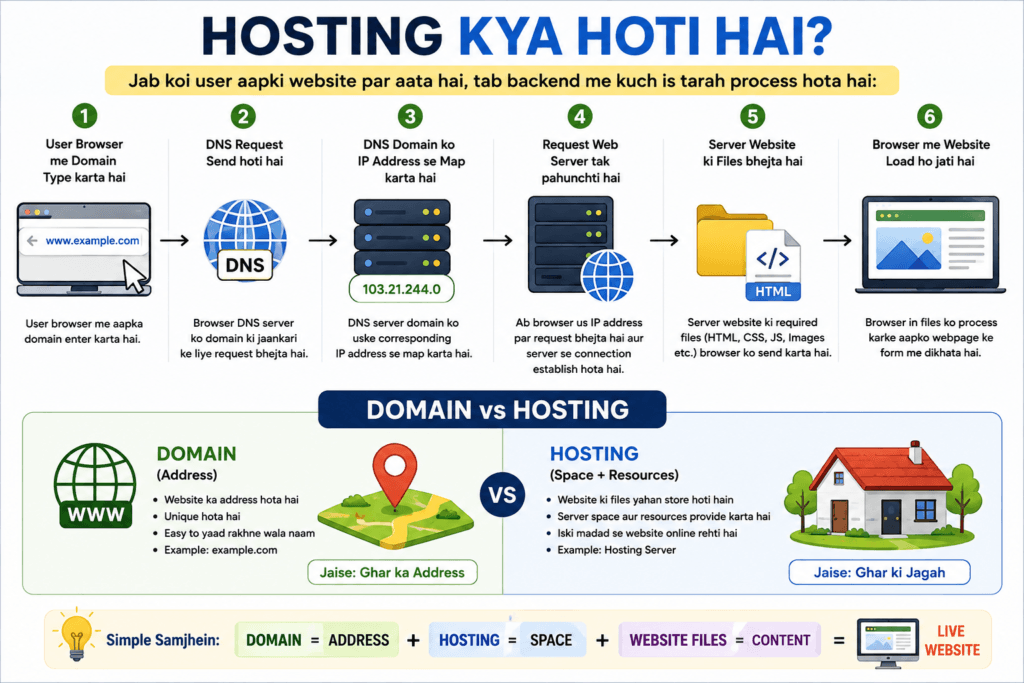
Domain = Ghar ka Address
Logon ko pata chalega ki aapka ghar kahan hai.
Hosting = Ghar Ki Space
Jahan ghar ka actual structure aur samaan rakha jata hai.
Website = Ghar Ke Andar Ka Samaan
Furniture, documents aur doosri useful cheezein website ke content aur files ki tarah samajh sakte hain.
Internet ki duniya mein:
Domain → Website ka address
Hosting → Website ke liye server space/resources
Website → Files + Content + Data
Ye analogy technically complete explanation nahi hai, lekin beginners ko basic concept samajhne mein kaafi help karti hai.
Web Hosting Kaise Kaam Karti Hai?
Ab thoda technical process samajhte hain.
Jab koi user browser mein aapki website ka domain enter karta hai, browser ko website ke server tak request pahunchani hoti hai.
Broadly process kuch is tarah samjha ja sakta hai:
User → Domain → DNS → Server → Website Files → Browser
Maan lijiye kisi user ne browser mein:
example.com
enter kiya.
Domain aur DNS information ke through browser appropriate server ko locate karta hai.
Uske baad server request process karta hai aur website ki required files/data browser ko provide karta hai.
Browser un resources ko process karke webpage user ko display karta hai.
User ko ye backend process directly dikhai nahi deta.
Uske liye simply website open hoti hai.
Server Kya Hota Hai?
Hosting samajhne ke liye server ka basic concept bhi samajhna zaroori hai.
Server ek computer system ya computing infrastructure hota hai jo network ke through requests receive karke resources ya services provide kar sakta hai.
Website hosting ke context mein server website ki files aur required services ko run/serve karne ke liye resources provide karta hai.
Normal personal computer aur web server ke roles different ho sakte hain, lekin basic level par dono computing systems hi hain.
Difference mainly unke purpose, configuration, resources, connectivity aur usage ka hota hai.
Domain Aur Hosting Mein Kya Difference Hai?
Ye beginners ka sabse common question hai.
| Domain | Hosting |
| Website ka address | Website ke liye server space/resources |
| Users ko website tak pahunchne mein help karta hai | Website files ko store/serve karne mein help karta hai |
| Example: example.com | Hosting server/environment |
| Domain registrar se register hota hai | Hosting provider se service li ja sakti hai |
| DNS ke through server se connect hota hai | Website ko online serve karta hai |
Simple formula yaad rakhiye:
Domain = Address
Hosting = Space + Server Resources
Dono alag concepts hain, lekin website ko properly access karne ke liye inka connection important ho sakta hai.
Kya Domain Aur Hosting Ek Hi Company Se Lena Zaroori Hai?
Nahi.
Aap domain aur hosting alag providers se le sakte hain.
Example:
- Domain Provider A se
- Hosting Provider B se
Is setup mein domain ki DNS ya nameserver settings ko hosting ke according configure karna pad sakta hai.
Beginners ke liye ek hi provider se dono services lena management ko simple bana sakta hai, lekin technically same provider compulsory nahi hai.
Hosting choose karte waqt pricing ke saath features, renewal cost, support aur technical requirements bhi compare karna useful hai.
Hosting Ke Different Types Kaunse Hain?
Market mein different types ki hosting available hoti hain.
Har hosting type ka architecture, resource allocation aur pricing model different ho sakta hai.
Common categories hain:
- Shared Hosting
- VPS Hosting
- Cloud Hosting
- Dedicated Hosting
- Managed WordPress Hosting
Aaiye inhe simple language mein samajhte hain.
Shared Hosting Kya Hoti Hai?
Shared hosting mein multiple websites ek physical server ke resources share kar sakti hain.
Iska basic advantage ye hai ki hosting cost comparatively affordable ho sakti hai.
Isi wajah se shared hosting beginners aur small websites ke liye commonly considered option hai.
Shared Hosting Ke Advantages
- Generally affordable
- Beginners ke liye easy
- Server management ka burden relatively kam
- Basic websites aur blogs ke liye suitable ho sakti hai
- Setup generally simple hota hai
Shared Hosting Ke Limitations
Kyuki multiple websites resources share kar sakti hain, high traffic ya resource-heavy workloads ke liye limitations aa sakti hain.
Performance exact configuration aur provider ke resource allocation par depend karti hai.
Kis Ke Liye Useful Ho Sakti Hai?
- New bloggers
- Small websites
- Personal blogs
- Basic business websites
- Low-to-moderate traffic websites
Beginner ke liye shared hosting often starting point ho sakti hai, lekin actual choice website requirements par depend karni chahiye.
VPS Hosting Kya Hoti Hai?
VPS ka full form hai:
Virtual Private Server
VPS hosting mein ek physical server ko virtualization ke through multiple isolated virtual environments mein divide kiya ja sakta hai.
Har environment ko allocated resources aur operating environment mil sakta hai.
Shared hosting ke comparison mein VPS zyada control aur predictable resource allocation provide kar sakti hai, depending on the plan.
VPS Hosting Ke Advantages
- More control
- Dedicated resource allocation ka option
- Custom configurations
- Better scalability
- Advanced users ke liye useful
Limitations
- Cost shared hosting se zyada ho sakti hai
- Technical knowledge ki requirement badh sakti hai
- Server management responsibility plan par depend kar sakti hai
Kis Ke Liye Useful?
- Growing websites
- Developers
- Higher-resource applications
- Websites needing more server control
Beginner ko starting day par VPS ki zarurat ho, ye zaroori nahi hai.
Cloud Hosting Kya Hoti Hai?
Cloud hosting ek architecture hai jahan website/app workloads multiple interconnected computing resources ya infrastructure ke through run ho sakte hain.
Traditional single-server model ke comparison mein cloud architecture flexibility aur scalability provide kar sakta hai.
Cloud hosting ka exact architecture provider ke according different ho sakta hai.
Advantages
- Scalability
- Flexible resource allocation
- High availability architectures ka support
- Growing websites ke liye useful ho sakti hai
Limitations
- Pricing structure complex ho sakta hai
- Beginners ko technical configuration samajhne mein time lag sakta hai
- Actual performance provider architecture par depend karti hai
Cloud hosting ko automatically “best hosting” samajhna sahi nahi hai.
Best option hamesha website ki requirements par depend karega.
Dedicated Hosting Kya Hoti Hai?
Dedicated hosting mein server resources ek customer ke use ke liye dedicated ho sakte hain.
Is model mein aapko shared environment ki comparison mein significantly more control aur resources mil sakte hain.
Advantages
- High level of control
- Large resource capacity
- Custom server configurations
- High-traffic workloads ke liye suitable ho sakti hai
Limitations
- Cost significantly higher ho sakti hai
- Server management more complex ho sakta hai
- Small beginner blogs ke liye usually unnecessary ho sakti hai
Agar aapka naya blog hai aur traffic abhi low hai, toh dedicated server ki requirement generally immediately nahi hoti.
Managed WordPress Hosting Kya Hoti Hai?
Agar aap WordPress use kar rahe hain, toh aapko managed WordPress hosting ka option bhi mil sakta hai.
Is type ki hosting specifically WordPress websites ke liye optimized services aur management features provide kar sakti hai.
Provider ke according features different ho sakte hain.
Possible features:
- WordPress installation
- Automatic updates
- Backups
- Security features
- Performance optimization
- WordPress-focused support
Kis Ke Liye Useful Hai?
Aise bloggers ke liye jo server management ke technical tasks kam rakhna chahte hain aur WordPress-focused environment prefer karte hain.
Lekin managed WordPress hosting ka price normal shared hosting se higher ho sakta hai.
Hosting Ke Liye Kitni Storage Chahiye?
Ye website ke type par depend karta hai.
Agar aap ek basic text-focused blog start kar rahe hain, toh initially extremely large storage ki zarurat nahi ho sakti.
Lekin agar website par:
- High-resolution images
- Videos
- PDFs
- Downloads
- Large media files
regularly store karne hain, toh storage requirement increase ho sakti hai.
Practical Tip
Sirf “unlimited storage” dekhkar hosting choose mat kariye.
Provider ki actual terms check karein.
“Unlimited” plans bhi fair-use ya resource policies ke subject ho sakte hain.
Hosting Mein Bandwidth Kya Hoti Hai?
Bandwidth ko simple language mein website aur users ke beech transfer hone wale data capacity ke context mein samjha ja sakta hai.
Jab users aapki website open karte hain, images load karte hain aur pages access karte hain, data transfer hota hai.
Agar website par traffic aur media usage high hai, toh bandwidth requirements increase ho sakti hain.
Small beginner blog ke liye requirements usually comparatively modest hoti hain.
Hosting Mein RAM Aur CPU Ka Kya Role Hai?
Agar aap VPS, cloud ya advanced hosting plans compare kar rahe hain, toh CPU aur RAM jaise resources important ho sakte hain.
RAM
RAM applications aur processes ko efficiently run karne ke liye temporary working memory provide karti hai.
CPU
CPU computing tasks process karta hai.
High-resource websites, databases aur applications ko more computing resources ki zarurat ho sakti hai.
Beginner shared hosting plans mein provider usually resources ko plan-specific limits ke saath manage karta hai.
Website Speed Aur Hosting Ka Kya Connection Hai?
Hosting website performance ko influence kar sakti hai.
Agar server slow hai, overloaded hai ya poorly configured hai, toh website response time affect ho sakta hai.
Lekin website speed sirf hosting par depend nahi karti.
Other factors bhi important hain:
- Website code
- Theme
- Plugins
- Images
- Caching
- Database
- CDN
- Third-party scripts
- Server configuration
Isliye slow website ka solution hamesha “better hosting kharido” nahi hota.
Pehle actual bottleneck identify karna better approach hai.
Uptime Kya Hota Hai?
Uptime ka simple meaning hai ki hosting service/website environment kitne time available raha.
Agar server frequently unavailable hota hai, toh users website access nahi kar paayenge.
Hosting providers commonly uptime commitments ya historical uptime information mention kar sakte hain.
Lekin marketing mein diye gaye numbers ko blindly accept karne ke bajay:
- SLA
- Terms
- Maintenance policy
- Support
- Actual monitoring
jaise factors bhi consider karna useful hai.
SSL Certificate Kya Hota Hai?
SSL/TLS website connection ko secure karne ke liye encryption provide karta hai.
Secure website URLs commonly:
https://
se start hoti hain.
Browser mein lock icon bhi secure connection indicate kar sakta hai.
Modern websites ke liye HTTPS important hai, especially jab website user data handle karti hai.
Many hosting providers SSL certificate ko plans ke saath include karte hain, lekin exact offering provider ke according vary karti hai.
Backup Hosting Mein Kyun Important Hai?
Website data accidentally delete ho sakta hai.
Possible problems:
- Plugin conflict
- Theme issue
- Human error
- Malware/security incident
- Server issue
- Database problem
- Failed update
Isliye backups important hain.
Lekin ek important point:
Hosting provider ka backup available hona aur independent backup strategy hona same thing nahi hai.
Backup policy check karein:
- Backup kitni frequently hota hai?
- Kitne restore points milte hain?
- Backup kitne time tak retain hota hai?
- Restore process kya hai?
- Backup separate infrastructure par stored hai ya nahi?
Important website ke liye restore process samajhna bhi useful hai.
Hosting Support Kitni Important Hai?
Beginner ke liye support ka importance kaafi high ho sakta hai.
Suppose website suddenly open nahi ho rahi.
Agar aapko server logs ya DNS configuration ka experience nahi hai, toh technical support useful ho sakta hai.
Hosting choose karte waqt check karein:
- Support channels
- Support availability
- Response expectations
- Knowledge base
- Migration assistance
- WordPress support
Sirf “24/7 support” likha hona enough nahi hai; support ki actual quality bhi important ho sakti hai.
Hosting Provider Choose Karte Waqt Kya Dekhein?
Agar aap beginners ke liye hosting kaise choose kare search kar rahe hain, toh ye factors useful hain.
1. Pricing
Sirf introductory price mat dekhiye.
Renewal price bhi check karein.
2. Performance
Server resources aur infrastructure samajhiye.
3. Uptime
Availability commitments check karein.
4. Backup
Backup frequency aur restoration process dekhiye.
5. SSL
HTTPS support included hai ya nahi, check karein.
6. Support
Technical assistance available hai ya nahi.
7. Scalability
Traffic grow hone par upgrade options available hain ya nahi.
8. Control Panel
cPanel, custom dashboard ya other management interface beginner ke liye usability affect kar sakta hai.
9. Resource Limits
CPU, RAM, inode/file limits, database limits aur other restrictions check karein.
10. Migration
Agar future mein provider change karna ho toh migration process kitna easy hai, ye bhi consider karein.
WordPress Blog Ke Liye Hosting Kaisi Honi Chahiye?
Agar aap WordPress blog start kar rahe hain, toh hosting mein kuch basic requirements important ho sakti hain:
- Reliable server
- HTTPS/SSL support
- Database support
- Adequate storage
- Suitable PHP/runtime environment
- Backup options
- Good support
- Upgrade options
WordPress hosting choose karte waqt sirf “WordPress supported” label dekhna enough nahi hai.
Actual resource limits aur server configuration bhi check karni chahiye.
Agar aapko WordPress ka basic concept samajhna hai, toh aap “WordPress Kya Hai? Beginners Guide” ko bhi read kar sakte hain.
Beginner Blog Ke Liye Shared Hosting Sahi Hai?
Bahut cases mein beginner blog ke liye shared hosting practical starting option ho sakti hai.
Agar:
- Website new hai
- Traffic low hai
- Content mostly articles hai
- Technical requirements basic hain
toh shared hosting sufficient ho sakti hai.
Lekin iska matlab ye nahi ki har beginner ko shared hosting hi leni chahiye.
Agar website mein advanced application, high traffic, custom server requirements ya special software stack hai, toh different hosting architecture more appropriate ho sakta hai.
Kya Expensive Hosting Hamesha Better Hoti Hai?
Nahi.
Higher price ka matlab automatically better hosting nahi hota.
Aapko apni actual requirements ke according hosting choose karni chahiye.
Example:
Agar aap ek new Indian blogging website start kar rahe hain jahan initially 20–30 informational articles publish honge, toh aapko immediately enterprise-level server ki zarurat nahi hai.
Pehle basic reliable infrastructure se start karke website growth ke according upgrade karna practical approach ho sakta hai.
Hosting Upgrade Kab Karni Chahiye?
Hosting upgrade ka decision sirf traffic numbers dekhkar nahi lena chahiye.
Possible signs:
- Server resource limits frequently hit ho rahe hain
- Website performance consistently poor hai
- Traffic significantly increase hua hai
- Application ko more CPU/RAM chahiye
- Database workload increase ho raha hai
- Current plan ki technical limitations growth ko affect kar rahi hain
Agar website slow hai, toh upgrade karne se pehle performance audit karna better hai.
Ho sakta hai problem large images, plugins, database queries ya caching ki wajah se ho.
Kya Hosting Change Kar Sakte Hain?
Haan.
Aap website ko ek hosting provider se doosre provider par migrate kar sakte hain.
Basic migration mein commonly:
- Website files transfer
- Database transfer
- Configuration update
- Domain DNS changes
- SSL setup
- Testing
- Final DNS switch
jaise steps ho sakte hain.
WordPress migration ke liye additional configuration ki zarurat pad sakti hai.
Migration se pehle complete backup lena important hai.
Hosting Aur Domain Ka Connection Kaise Banta Hai?
Maan lijiye aapne domain liya:
digitalexample.in
Aur hosting kisi provider se li.
Hosting provider aapko nameservers ya DNS records provide kar sakta hai.
Aap domain ke DNS management area mein required configuration add/update karte hain.
Uske baad DNS propagation ke through domain ko hosting environment se connect kiya jata hai.
Propagation ka time different situations mein vary kar sakta hai.
Ek baar configuration properly resolve hone ke baad users domain ke through website access kar sakte hain.
Hosting Lene Se Pehle Kin Questions Ka Answer Lena Chahiye?
Purchase karne se pehle ye questions pooch sakte hain:
- Renewal price kitni hai?
- Backup included hai?
- SSL included hai?
- Resource limits kya hain?
- Website migration available hai?
- Support kaise milta hai?
- Upgrade options kya hain?
- Data center/location options kya hain?
- Control panel kaunsa hai?
- Refund policy kya hai?
- Terms mein “unlimited” resources ki actual conditions kya hain?
Ye questions aapko sirf cheapest plan choose karne ke bajay informed decision lene mein help karenge.
Hosting Se Related Common Mistakes
1. Sirf First-Year Price Dekhna
Introductory pricing ke baad renewal cost significantly different ho sakti hai.
2. “Unlimited” Ko Literally Unlimited Samajhna
Plans resource policies aur fair-use restrictions ke subject ho sakte hain.
3. Backup Ignore Karna
Website ka backup important hai, especially jab aap regularly content publish karte hain.
4. Support Ko Ignore Karna
Technical issue ke time support ka value samajh aata hai.
5. Zarurat Se Bahut Expensive Plan Lena
New blog ko immediately powerful server ki zarurat nahi hoti.
6. Resource Limits Check Na Karna
Storage ke saath CPU, RAM, databases aur other limits bhi important ho sakti hain.
7. Performance Problem Ko Sirf Hosting Problem Samajhna
Website speed multiple factors se affect ho sakti hai.
Hosting Choose Karne Ki Simple Strategy
Agar aap beginner hain, toh decision ko complicated banane ki zarurat nahi.
Step 1: Website Type Decide Karein
Blog, portfolio, business website ya web application?
Step 2: Expected Traffic Samjhein
New website ka traffic initially low ho sakta hai.
Step 3: Technical Requirements Identify Karein
WordPress use karenge? Database chahiye? Special software chahiye?
Step 4: Hosting Types Compare Karein
Shared, VPS, cloud, dedicated ya managed WordPress.
Step 5: Total Cost Check Karein
Registration/initial price ke saath renewal pricing bhi dekhein.
Step 6: Resources Check Karein
Storage, CPU, RAM, databases, bandwidth aur other limits.
Step 7: Backup & Support Check Karein
Emergency situation mein kya options available hain?
Step 8: Upgrade Path Dekhein
Website grow hone par plan upgrade kar sakte hain ya nahi?
Hosting Aur Website Speed: Practical Tips
Hosting important hai, lekin website optimization bhi equally important hai.
Aap:
- Images compress kar sakte hain
- Unnecessary plugins remove kar sakte hain
- Lightweight theme use kar sakte hain
- Caching configure kar sakte hain
- Database optimize kar sakte hain
- CDN consider kar sakte hain
- Unnecessary scripts reduce kar sakte hain
Especially WordPress websites mein plugins aur themes performance par significant impact daal sakte hain.
Isliye hosting upgrade karne se pehle basic optimization check karna useful habit hai.
Hosting Ke Liye Kitna Budget Rakhein?
Iska fixed answer dena sahi nahi hoga.
Hosting cost depend kar sakti hai:
- Hosting type
- Provider
- Resources
- Billing period
- Data center
- Managed services
- Backup
- Support
- Promotional pricing
Agar aap new blog start kar rahe hain, toh pehle apni actual requirements identify karein.
Budget ke andar reliable hosting choose karna better hai, sirf expensive plan lena nahi.
Kya Free Hosting Use Karni Chahiye?
Free hosting kuch learning projects ya experiments ke liye useful ho sakti hai.
Lekin professional blog ke liye limitations aa sakti hain.
Possible limitations:
- Limited resources
- Ads
- Limited support
- Limited customization
- Storage restrictions
- Performance limitations
- Reliability concerns
Agar aap long-term informational blog build kar rahe hain, toh hosting choose karte waqt reliability aur control ko priority dena generally better approach hai.
Hosting Samajhne Ke Baad Next Step Kya Hai?
Ab aapko hosting ka basic concept clear ho gaya hoga.
Lekin website start karne ke liye domain aur hosting dono ko broader setup ke context mein samajhna useful hai.
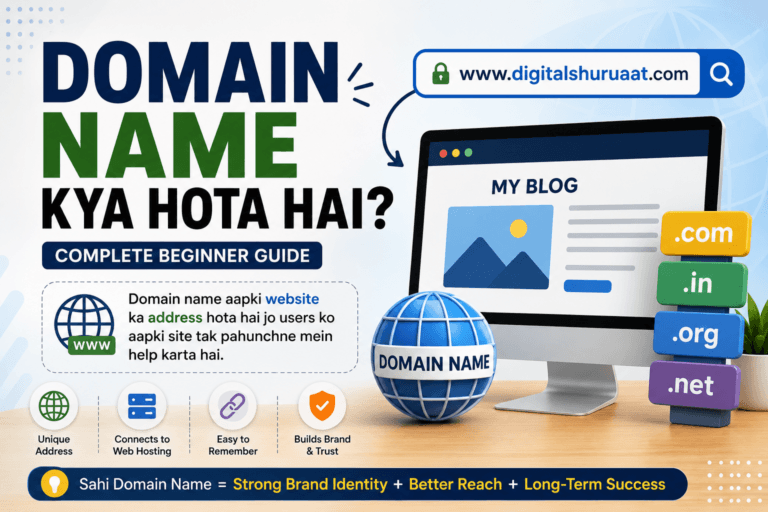
Aap pehle “Domain Name Kya Hota Hai?” padhkar domain ka concept samajh sakte hain.
Uske baad hosting samajhne ke baad next natural step website platform choose karna hai.
Agar aap WordPress consider kar rahe hain, toh “WordPress Kya Hai? Beginners Guide” useful next article hai.
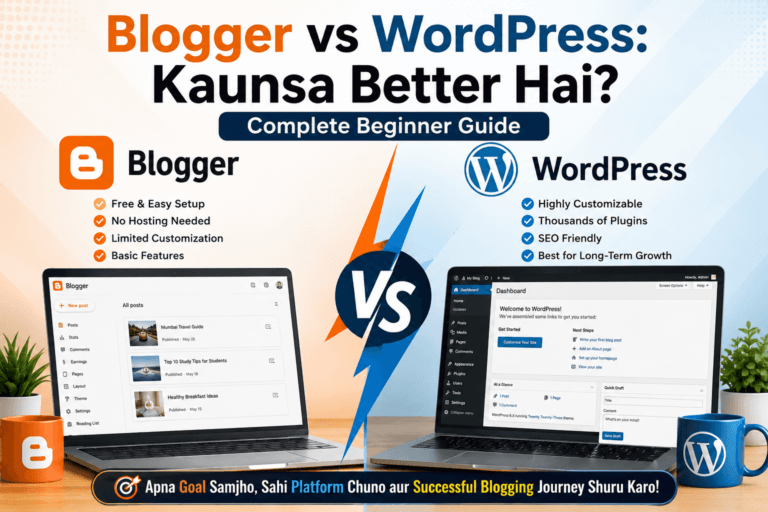
Aur agar aap WordPress aur Blogger ke beech confused hain, toh “Blogger vs WordPress: Kaunsa Better Hai?” comparison article aapko dono platforms ko understand karne mein help karega.
Agar aap bilkul beginning se complete process samajhna chahte hain, toh “Blog Kaise Start Kare? Step-by-Step Guide” ko bhi read karna useful rahega.
Key Takeaways
Hosting ke baare mein ye important points yaad rakhiye:
- Hosting ek service hai jo website ko server environment par store aur serve karne ke resources provide karti hai.
- Domain aur hosting alag concepts hain.
- Domain website ka address hai, hosting website ke liye server space/resources provide karti hai.
- Shared hosting beginners ke liye practical starting option ho sakti hai.
- VPS zyada control aur resource allocation provide kar sakti hai.
- Cloud hosting scalable architecture provide kar sakti hai.
- Dedicated hosting high-resource requirements ke liye useful ho sakti hai.
- Managed WordPress hosting WordPress-focused management features provide kar sakti hai.
- Hosting choose karte waqt sirf price nahi, renewal cost aur resource limits bhi dekhein.
- Backup, SSL, support aur scalability important factors hain.
- Website speed sirf hosting par depend nahi karti.
- Hosting future mein change ya upgrade ki ja sakti hai.
- New blog ke liye unnecessarily expensive hosting lena zaroori nahi hai.
- “Unlimited” hosting plans ki actual terms aur limitations zaroor padhein.
Conclusion
Ab aapko clearly samajh aa gaya hoga ki Hosting Kya Hoti Hai?
Simple words mein, hosting woh service hai jo aapki website ko internet par accessible banane ke liye server resources provide karti hai.
Agar domain aapki website ka address hai, toh hosting ko aap website ki online space samajh sakte hain.
Lekin hosting choose karna sirf cheapest plan select karne ka decision nahi hai.
Aapko apni website ki requirements dekhni chahiye:
- Kitna traffic expected hai?
- Website kis platform par hai?
- Kitni storage chahiye?
- Backup available hai?
- SSL included hai?
- Support kaisa hai?
- Resources ki limits kya hain?
- Future mein upgrade kar sakte hain?
Ek new blogger ke liye simple shared hosting enough ho sakti hai, jabki growing website ko VPS, cloud ya managed environment ki zarurat pad sakti hai.
Sabse important baat ye hai ki “best hosting” sabke liye same nahi hoti.
Jo hosting aapki website ki current requirements, budget aur future growth ke saath properly fit hoti hai, wahi aapke liye practical choice ho sakti hai.
Isliye hosting kharidne se pehle features ko samajhiye, terms padhiye, renewal cost check kijiye aur apni actual requirements ke according decision lijiye.
Ab aage kya kre?
Agar aap blogging start karne ki planning kar rahe hain, toh ab aapko domain aur hosting dono ka basic concept samajh aa chuka hai.
Ab apni website setup ko step-by-step samajhne ka time hai.
Sabse pehle decide kijiye:
- Aapka blog kis niche par hoga?
- Domain name kya hoga?
- Aap Blogger use karenge ya WordPress?
- Website ke liye kis type ki hosting suitable hogi?
- Aapke first 10–15 articles kin topics par honge?
Agar aap complete beginner hain, toh “Blog Kaise Start Kare? Step-by-Step Guide” ko next read karein.
Domain ka concept revise karna hai toh “Domain Name Kya Hota Hai?” yha padhiye.
WordPress ko detail mein samajhna hai toh “WordPress Kya Hai? Beginners Guide” par jaiye.
Aur agar Blogger aur WordPress mein confusion hai, toh “Blogger vs WordPress: Kaunsa Better Hai?” ko read karke dono platforms ka comparison samajhiye.
Website start karne se pehle concepts clear karna aapko unnecessary mistakes aur expenses se bachane mein help kar sakta hai.
Pehle samajhiye, phir compare kijiye, aur uske baad apni actual requirements ke according decision lijiye.
FAQs
1. Hosting Kya Hoti Hai?
Hosting ek service hai jo website ki files, data aur required resources ko internet-connected server environment par store aur serve karne mein help karti hai.
2. Website Ke Liye Hosting Kya Hoti Hai?
Website ke liye hosting woh infrastructure provide karti hai jahan website ki files aur related data hosted hote hain aur users ke requests par website ko serve kiya ja sakta hai.
3. Domain Aur Hosting Mein Kya Difference Hai?
Domain website ka address hota hai, jabki hosting website ko online serve karne ke liye server space aur computing resources provide karti hai.
4. Shared Hosting Kya Hoti Hai?
Shared hosting mein multiple websites ek server ke resources share kar sakti hain. Ye comparatively affordable hoti hai aur new blogs aur small websites ke liye practical starting option ho sakti hai.
5. VPS Hosting Kya Hoti Hai?
VPS yani Virtual Private Server hosting ek virtualized environment provide karti hai jisme allocated resources aur zyada control mil sakta hai. Ye growing websites aur advanced users ke liye useful ho sakti hai.
6. WordPress Hosting Kya Hoti Hai?
WordPress hosting aisi hosting service ko kaha ja sakta hai jo WordPress websites ke liye specifically optimized ya managed features provide karti hai. Features provider ke according different ho sakte hain.
7. Beginners Ke Liye Hosting Kaise Choose Kare?
Beginner ko hosting choose karte waqt price ke saath storage, resources, SSL, backups, support, renewal cost, resource limits aur future upgrade options check karne chahiye.
8. Kya Domain Aur Hosting Ek Hi Company Se Lena Zaroori Hai?
Nahi. Domain aur hosting alag providers se li ja sakti hain. DNS ya nameserver configuration ke through domain ko hosting environment se connect kiya ja sakta hai.
9. Kya Free Hosting Website Ke Liye Sahi Hai?
Free hosting learning aur experimentation ke liye useful ho sakti hai, lekin professional blog ke liye resources, reliability, support aur customization ki limitations ho sakti hain.
10. Kya Hosting Baad Mein Change Kar Sakte Hain?
Haan. Website ko ek hosting provider se doosre provider par migrate kiya ja sakta hai. Migration se pehle proper backup, files/database transfer, DNS configuration aur testing important hoti hai.